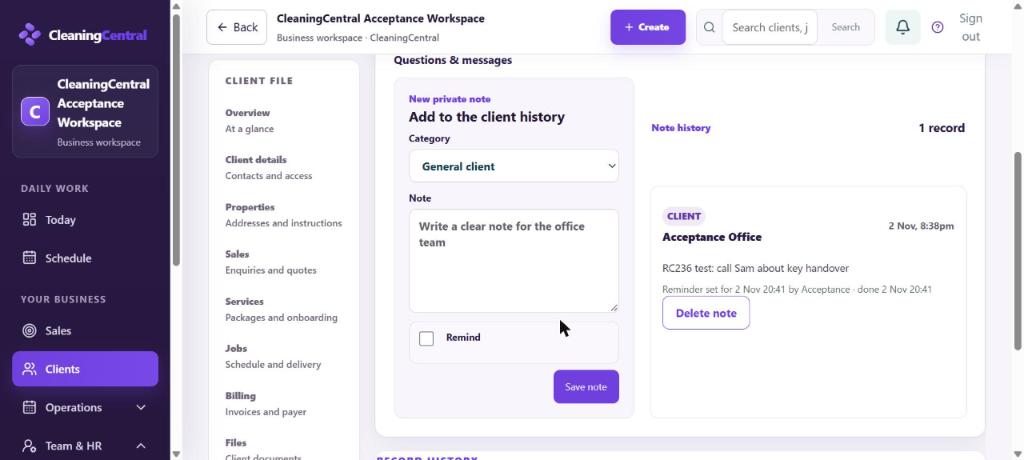
Notes are private to your team. Add a reminder and it appears on the bell when it's due.
Add a note with a reminder
- Open the client and go to Notes.
- Pick a Category and write the Note, for example "Call about key handover".
- Tick Remind, then choose Tomorrow 9am, In 3 days, Next week, or Pick… for a date and time.
- Choose Who to remind (you, or someone else in the team).
- Choose Save note and reminder.
When it's due
- The bell shows a red count and "Reminder · client: your note". Today's Needs attention shows Reminders due.
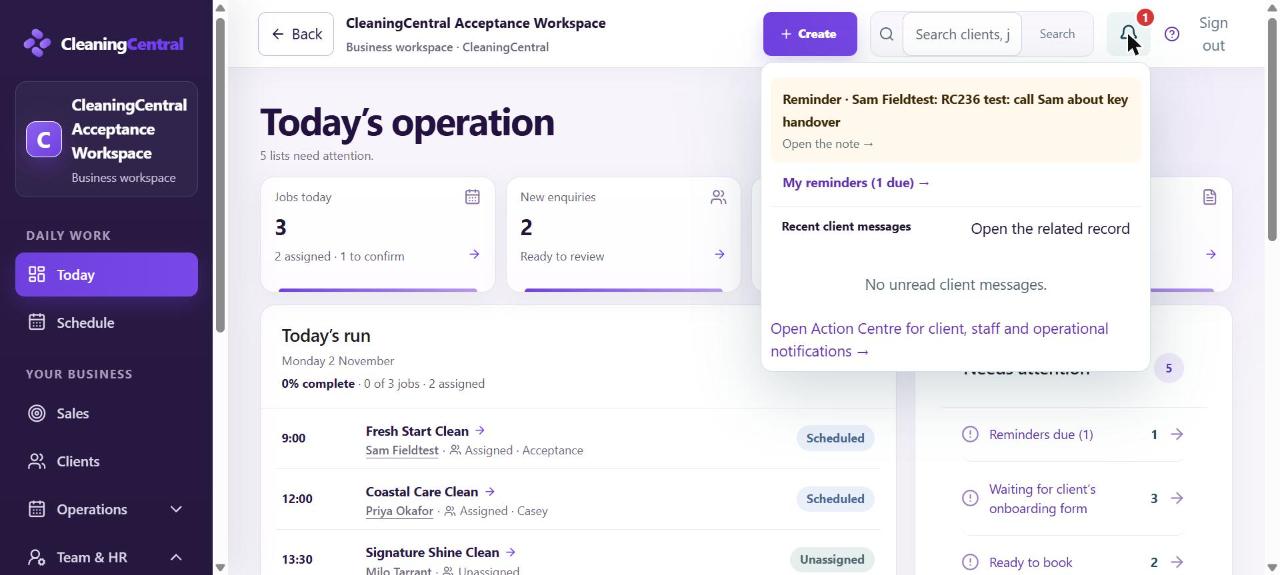
Reminder on the bell - Choose Open the note. The client's note opens, highlighted, with Done, Snooze and Edit.
- Done clears it everywhere and records "done" with the time.
- My reminders (from the bell) lists everything due and coming up.