Recording an enquiry keeps the original request with the client and the quote. Saving it doesn't send anything or commit you to a price.
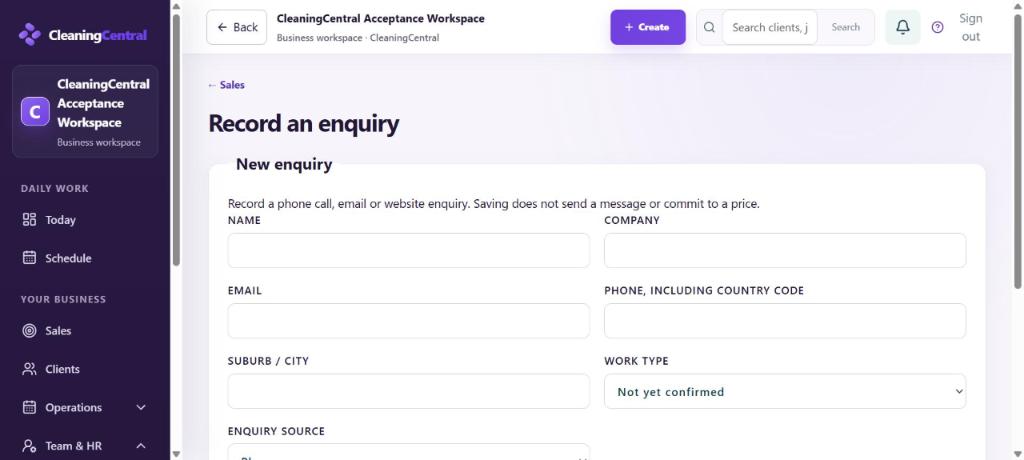
Steps
- Choose + Create → Enquiry, or go to Sales → Enquiries → Record enquiry.
- Fill in Name, Company (if any), Email, Phone, including country code and Suburb / city.
- Choose the Work type if you know it (residential, end of lease, commercial…), or leave Not yet confirmed.
- Choose the Enquiry source: phone, website, Facebook and so on. This feeds your marketing reports.
- Under What do they need?, write what they asked for in their words: rooms, pets, access, preferred days.
- Choose Save enquiry & prepare quote.
What happens next
- You go straight into a quote for this person: see Create and send a quote.
- Enquiries from your website form and lead ads arrive here by themselves.
- Today shows Enquiries to quote until each one has a quote.