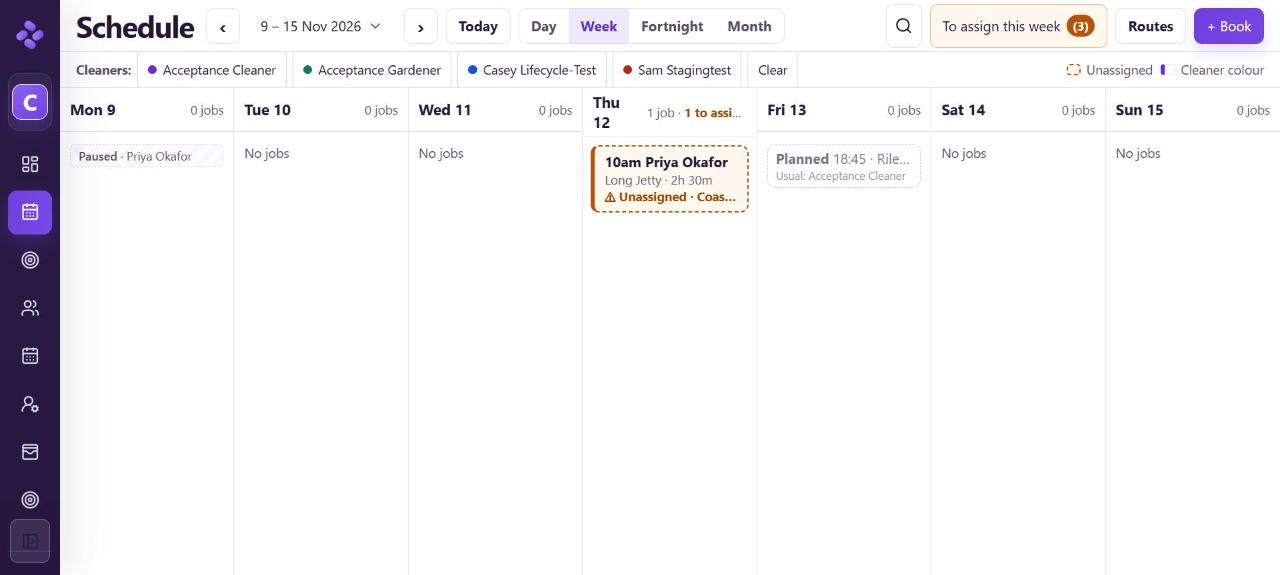
You can pause a repeat for set dates and it starts again on its own. Nothing is sent to the client unless you tick Notify client.
Pause for set dates
- Open the client and choose Pause, skip or book by hand → (under their name, next to the service).
- On the Pause tab, set Pause repeat from and Until. Or tick Until further notice.
- Choose a Reason (for example Client away).
- Under Then, choose:
- Resume on Mon 16 Nov (keeps the weekly Monday pattern), or
- Start the pattern again from a date you pick.
- Check the list of jobs that will be cancelled in that window (if any).
- Leave Notify client unticked unless you want them told, then choose Pause repeat.
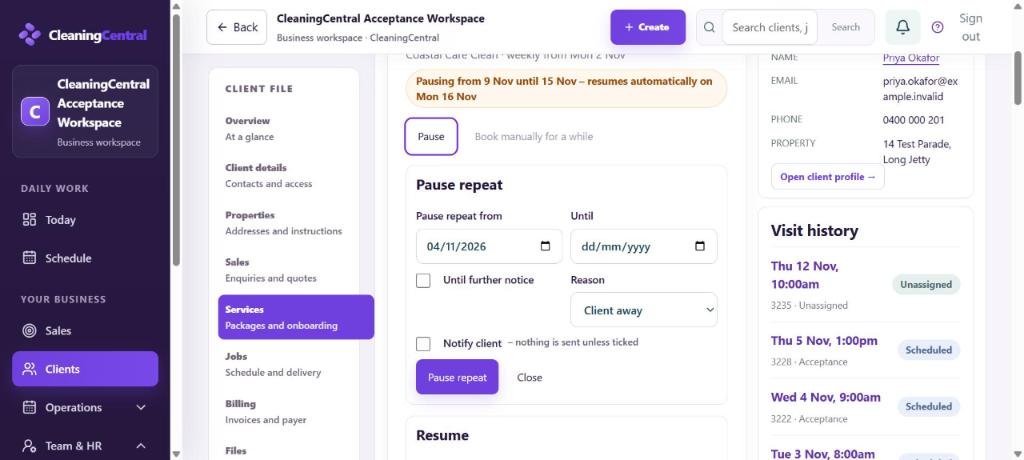
Pause repeat
The panel now says, for example, "Pausing from 9 Nov until 15 Nov – resumes automatically on Mon 16 Nov". To undo it, choose Withdraw this pause.
Book a clean by hand during the pause
- In the same panel, go to Book a linked one-off.
- Pick the Date, Time and Price (it starts at the service price), then choose Book linked one-off.
- It's linked to the service, so the repeat never doubles it. If you try to book a date that already has a job, you're told and nothing is booked.
Skip or change one date
Under Next 8 dates, each upcoming date has Skip, Move, Make manual and Confirm this date now. Planned dates aren't real jobs yet; they become jobs one at a time after each clean is completed, or when you choose Confirm this date now.
On the schedule
The paused week shows a faint Paused card, your one-off shows as a normal job, and the dates after the pause show as Planned.